Oh yeah! Today we have some really cool pictures.
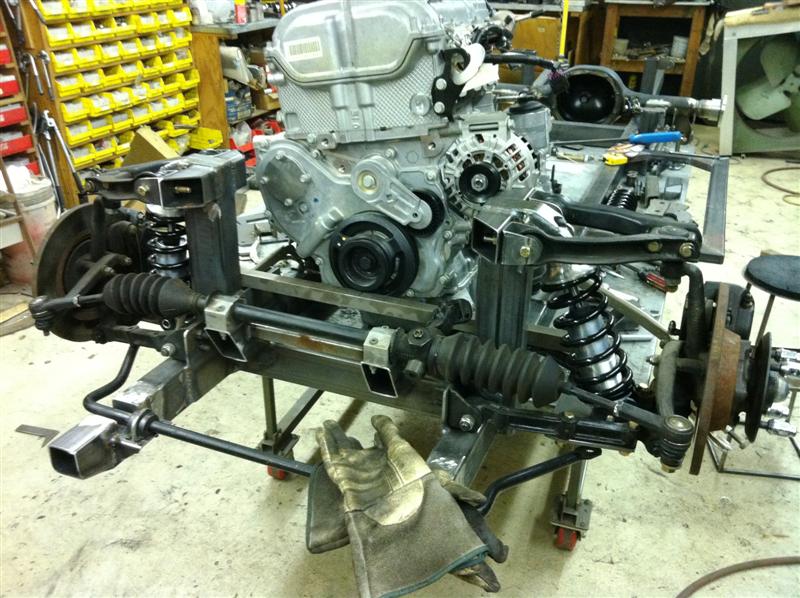
The frame is starting to really take shape. The front suspension is pretty much done. The following picture shows how things are looking right now. The front suspension towers are in place, coilovers and lower plates. No more spring compressors, just the real deal: coilovers. The front sway bar has also been located as well as the steering rack. The square stock bar in front of the pulley is not part of the build so don’t wonder what that is there for. Finally, there are quite a few welds that need to be finalized – right now there is a lot of stuff that is tack-welded. Oh… And the Ecotec is now mounted on the table in order to finalize where it will be residing.
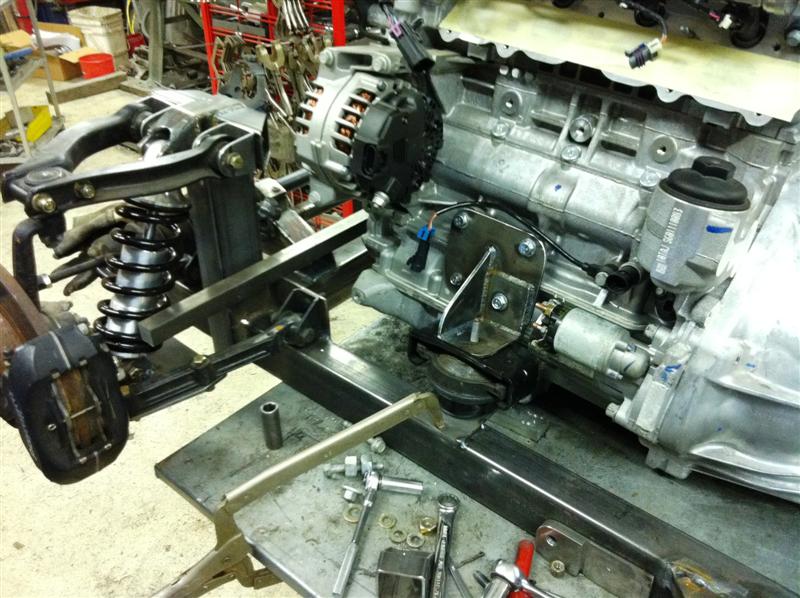
 The next picture shows the driver’s side motor mount. Since the frame is being made from scratch, we can use the original mounts. Nothing wrong with them. However, these are the ones that attach to the frame not the ones on the engine block. Those would have been way too wide, so new plates have been made. Look closely, and you will see the factory intake has been removed. When fitting an Ecotec on a TR6 the original intake has to go – otherwise it will be in the way of the steering assembly. There will be a custom-made intake so more room can be dedicated to the steering.
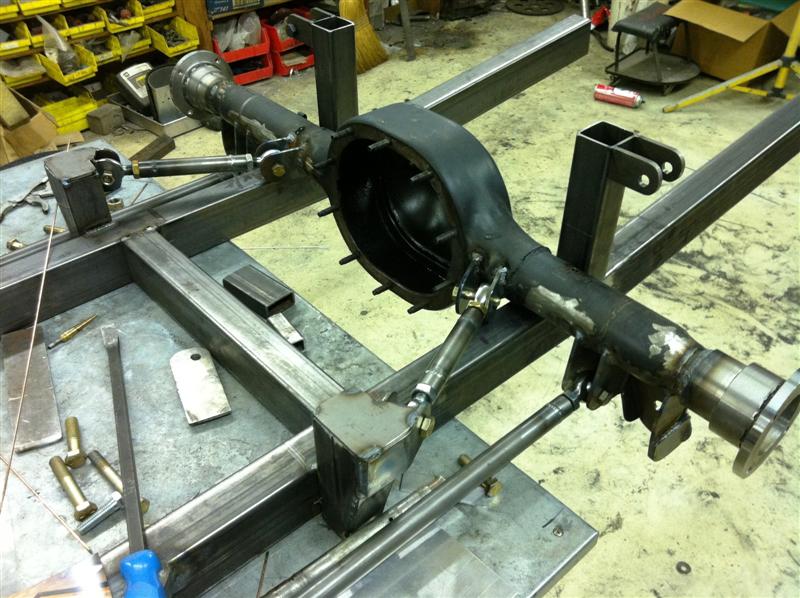
 Next, let’s take a look at how the rear suspension is looking. This is really trick. Here we have a four point suspension also with coilovers. They are not in place but they are identical to the fronts – however the spring rates are different. The control arms are all finished with heim-ends; my cousin used polyurethane ends on the TR4 but they soon failed. I’ll have a future article on that. The diff is not in place yet nor the axles. This will all be ordered soon. The plan calls for a 3.80 to 1 axle with posi-traction. This will give the car a great response at speed. Special note must be taken: this is not a drag car, instead it is being designed to excel at speed. This is what the rear looks like:
 Finally today’s real work of art: the new headers for the Ecotec. The headers have been hand-made, from stainless tubing. The flange on the block is GM – they sell a special flange that gives an excellent base for the headers; there is also a GM flange similar to this, for the intake. The header does not have a bung for a O2 sensor – that will be placed on the bottom tubing, after the flange. These headers should flow very nicely and since they are very close to the block, it will prevent the body from having to be cut. All this stuff is being built for a reason!
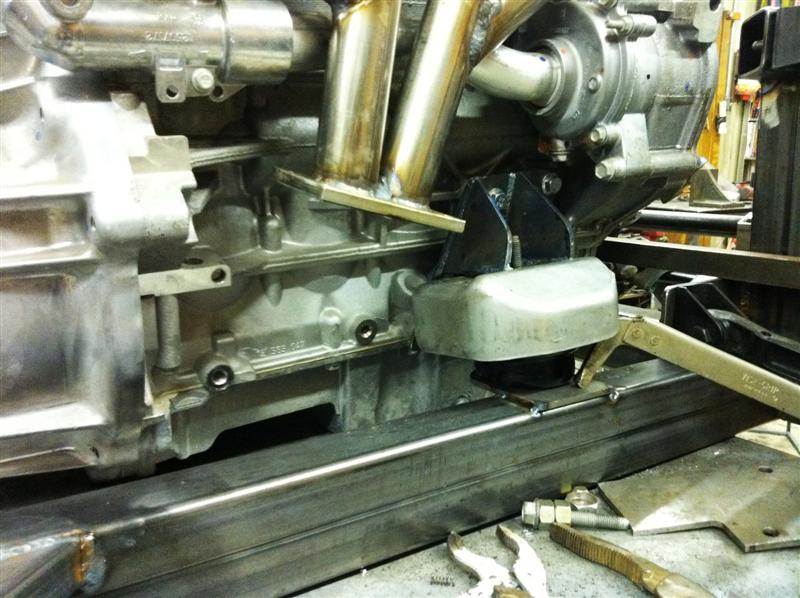
 And finally, another shot of the lower part of the headers, showing the motor mount on the passenger’s side. This mount has a special heat insulator – that is stock from the factory due to its close proximity to the header. Cool, huh?
 Like I said before, things are being tack-welded now. Much easier to cut a tack-weld than if it were permanently welded in case we have to make adjustments when the body is fitted.
Comments? Questions? Drop me a line…